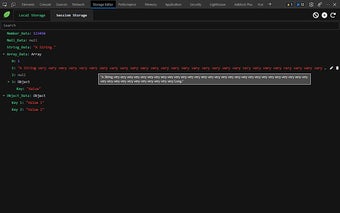
Storage Editor: A Powerful Tool for Editing Local and Session Storage
Storage Editor is a Chrome extension developed by Hancel.Lin that allows users to easily edit their website's local storage and session storage. With this tool, you can have complete control over the data stored in your browser.
This extension offers a range of powerful features that make managing your storage data a breeze. Firstly, it provides a user-friendly tree view that allows you to preview your local storage and session storage data. This makes it easy to navigate and understand the structure of your data.
Secondly, Storage Editor allows you to edit, add, remove, or clear storage data with just a few clicks. Whether you need to update a specific value or completely remove a piece of data, this extension has got you covered.
Additionally, this tool enables you to add new nodes or data to objects or arrays in your storage. This is particularly useful if you need to expand or modify your existing data structure.
Lastly, Storage Editor includes a search function that allows you to quickly find specific values or keys within your storage data tree. This saves you time and effort when working with large amounts of data.
Overall, Storage Editor is a must-have tool for anyone who wants to have full control over their browser's local storage and session storage. Its intuitive interface and powerful features make it a valuable asset for developers and website administrators alike.